Meza: Difference between revisions
Created page with "Meza is '''MediaWiki EZ Administration''' See our fork at https://github.com/freephile/meza Category:Meza Category:MediaWiki Category:Ansible Category:DevOps Category:Automation" |
|||
| (8 intermediate revisions by the same user not shown) | |||
| Line 1: | Line 1: | ||
[[mw:Meza|Meza]] is '''MediaWiki EZ Administration''' | [[mw:Meza|Meza]] is '''MediaWiki EZ Administration''' | ||
See | For the past couple years, we've been the primary maintainer and have successfully pushed [https://github.com/freephile/meza our contributions] upstream to NASA. | ||
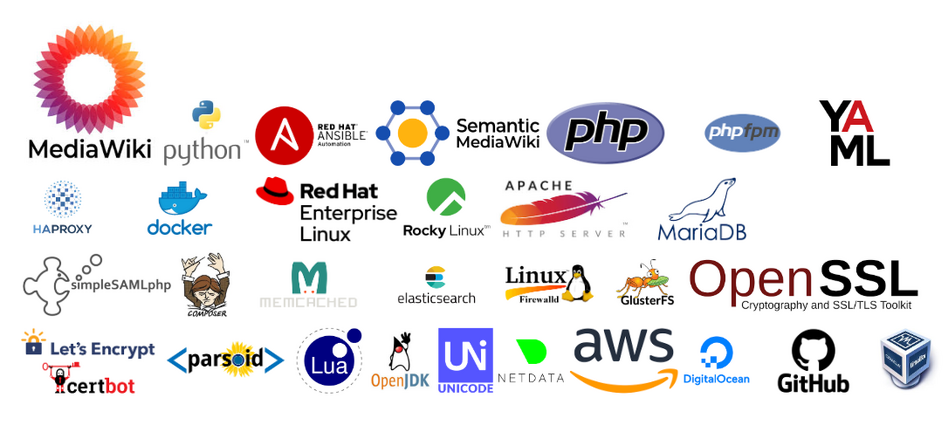
[[File:Meza component logos.png|alt=Meza components|948x948px|link=https://github.com/freephile/meza]] | |||
{{Messagebox | |||
| text = Why Meza is More Valuable Than Simply Downloading MediaWiki | |||
}} | |||
== Enterprise-Grade Deployment Automation == | |||
'''MediaWiki alone''': Manual installation, configuration files to edit by hand, extension management is manual and error-prone. | |||
'''Meza''': Single <code>meza deploy monolith</code> command that orchestrates: | |||
* MediaWiki core installation with proper versions | |||
* 100+ pre-configured, battle-tested extensions | |||
* Automated database setup and updates | |||
* Web server configuration (Apache/PHP-FPM) | |||
* Search integration (Elasticsearch/CirrusSearch) | |||
* Automatic TLS security certificate provisioning | |||
* Full logs and audit trails for change management | |||
== Production-Ready Extension Stack == | |||
Meza automatically installs and configures: | |||
* '''VisualEditor''' with proper Parsoid integration | |||
* '''Semantic MediaWiki''' with property rebuild capabilities | |||
* '''CirrusSearch''' for enterprise search | |||
* '''Flow''' for modern discussions | |||
* '''50+ other extensions''' with tested configurations | |||
See more on the [[features]] page. | |||
'''MediaWiki alone''': You'd spend weeks researching, installing, and configuring each extension individually. | |||
== Multi-Environment Management == | |||
<syntaxhighlight lang="bash"> | |||
# Meza supports multiple environments out-of-the-box | |||
meza deploy production | |||
meza deploy staging | |||
meza deploy development | |||
</syntaxhighlight>Each environment has separate: | |||
* Configuration hierarchies (<code>/opt/conf-meza/public/<env>/</code> and <code>/opt/conf-meza/secret/<env>/</code>) making it so simple to have development tools and settings for your 'development' environment while your 'production' environment is configured separately. Meza configuration operates with inheritance and overrides. | |||
* Database backups (automated before updates) | |||
* Deploy locks to prevent conflicts | |||
== Operational Excellence == | |||
'''Automated maintenance''' (logged): | |||
* Database backups before each deployment | |||
* <code>update.php</code> runs for all wikis automatically | |||
* Search index rebuilding | |||
* Semantic data rebuilding | |||
* [https://github.com/freephile/meza/blob/dev/src/roles/logrotate/README.md Log rotation and cleanup] for all services | |||
'''MediaWiki alone''': All maintenance is manual scripting. | |||
== Multi-site Architecture == | |||
Meza supports multiple sites in one deployment: | |||
sites: meta, biz, demo, policy | |||
Each gets: | |||
* Separate databases | |||
* Individual configuration | |||
* Shared extension stack | |||
* Unified management | |||
== Infrastructure as Code through Ansible == | |||
Meza uses [[Ansible]] playbooks and role-based configuration to manage complex MediaWiki deployments, rather than manual LocalSettings.php editing. | |||
The actual complexity Meza manages includes: | |||
* 40+ Ansible '''roles''' for different components | |||
* Dynamic path resolution and configuration hierarchies | |||
* Per-wiki configuration directories (/opt/conf-meza/public/wikis/<wikiId>/) with inheritance | |||
* Jinja2 templating for generating MediaWiki configuration | |||
'''vs. MediaWiki''': Manual <code>LocalSettings.php</code> editing (on each node?) possibly with no version control integration. | |||
== Enterprise Security & Scalability == | |||
* '''Multi-server deployments''': Load balancers, database clustering, GlusterFS | |||
* '''SSL automation''': Let's Encrypt integration | |||
* '''Access controls''': Fine-grained permission management | |||
* '''Backup strategies''': Automated, tested restore procedures | |||
== Time to Value == | |||
* '''MediaWiki download''': Days/weeks to get a production-ready wiki | |||
* '''Meza''': Minutes to deploy, hours to customize | |||
Meza offers a complete enterprise MediaWiki deployment with search, visual editing, semantic capabilities, and operational tooling - all from a single command. That's the Meza value proposition. | |||
[[Category:Meza]] | [[Category:Meza]] | ||
[[Category:MediaWiki]] | [[Category:MediaWiki]] | ||
Latest revision as of 10:16, 24 October 2025
Meza is MediaWiki EZ Administration
For the past couple years, we've been the primary maintainer and have successfully pushed our contributions upstream to NASA.

Enterprise-Grade Deployment Automation[edit]
MediaWiki alone: Manual installation, configuration files to edit by hand, extension management is manual and error-prone.
Meza: Single meza deploy monolith command that orchestrates:
- MediaWiki core installation with proper versions
- 100+ pre-configured, battle-tested extensions
- Automated database setup and updates
- Web server configuration (Apache/PHP-FPM)
- Search integration (Elasticsearch/CirrusSearch)
- Automatic TLS security certificate provisioning
- Full logs and audit trails for change management
Production-Ready Extension Stack[edit]
Meza automatically installs and configures:
- VisualEditor with proper Parsoid integration
- Semantic MediaWiki with property rebuild capabilities
- CirrusSearch for enterprise search
- Flow for modern discussions
- 50+ other extensions with tested configurations
See more on the features page.
MediaWiki alone: You'd spend weeks researching, installing, and configuring each extension individually.
Multi-Environment Management[edit]
# Meza supports multiple environments out-of-the-box
meza deploy production
meza deploy staging
meza deploy development
Each environment has separate:
- Configuration hierarchies (
/opt/conf-meza/public/<env>/and/opt/conf-meza/secret/<env>/) making it so simple to have development tools and settings for your 'development' environment while your 'production' environment is configured separately. Meza configuration operates with inheritance and overrides. - Database backups (automated before updates)
- Deploy locks to prevent conflicts
Operational Excellence[edit]
Automated maintenance (logged):
- Database backups before each deployment
update.phpruns for all wikis automatically- Search index rebuilding
- Semantic data rebuilding
- Log rotation and cleanup for all services
MediaWiki alone: All maintenance is manual scripting.
Multi-site Architecture[edit]
Meza supports multiple sites in one deployment:
sites: meta, biz, demo, policy
Each gets:
- Separate databases
- Individual configuration
- Shared extension stack
- Unified management
Infrastructure as Code through Ansible[edit]
Meza uses Ansible playbooks and role-based configuration to manage complex MediaWiki deployments, rather than manual LocalSettings.php editing.
The actual complexity Meza manages includes:
- 40+ Ansible roles for different components
- Dynamic path resolution and configuration hierarchies
- Per-wiki configuration directories (/opt/conf-meza/public/wikis/<wikiId>/) with inheritance
- Jinja2 templating for generating MediaWiki configuration
vs. MediaWiki: Manual LocalSettings.php editing (on each node?) possibly with no version control integration.
Enterprise Security & Scalability[edit]
- Multi-server deployments: Load balancers, database clustering, GlusterFS
- SSL automation: Let's Encrypt integration
- Access controls: Fine-grained permission management
- Backup strategies: Automated, tested restore procedures
Time to Value[edit]
- MediaWiki download: Days/weeks to get a production-ready wiki
- Meza: Minutes to deploy, hours to customize
Meza offers a complete enterprise MediaWiki deployment with search, visual editing, semantic capabilities, and operational tooling - all from a single command. That's the Meza value proposition.

