Category:Graphics: Difference between revisions
From Freephile Wiki
update link, Add rasterbator |
No edit summary |
||
| Line 2: | Line 2: | ||
https://librearts.org/2021/01/introducing-libre-arts/</ref> and also the [[commons:Main Page|Commons]] . | https://librearts.org/2021/01/introducing-libre-arts/</ref> and also the [[commons:Main Page|Commons]] . | ||
For an introduction to the world of Window Managers (like KWin) and how your computer draws the screen, see [[wp:Windowing_system|Windowing system]]. | |||
== Cool Online Tools == | == Cool Online Tools == | ||
Revision as of 05:35, 29 June 2025
Graphics are such an important and beautiful aspect to the web. Here, you will find information and resources that introduce you to the libre arts world[1] and also the Commons .
For an introduction to the world of Window Managers (like KWin) and how your computer draws the screen, see Windowing system.
Cool Online Tools
https://rasterbator.net/ is a cool free resource that can take any photo and turn it into wall art. A simple svg drawing in Inkscape can be converted to poster size easily.
References
- ↑ Libre Graphics World became Libre Arts in 2021 https://librearts.org/2021/01/introducing-libre-arts/
Pages in category "Graphics"
The following 10 pages are in this category, out of 10 total.
Media in category "Graphics"
The following 2 files are in this category, out of 2 total.
-
 Ansible-playbook-grapher illustration of meza site playbook with tasks.svg 7,760 × 53,525; 1.46 MB
-
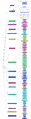 Ansible-playbook-grapher illustration of meza site playbook.svg 1,357 × 5,201; 182 KB


